
Every year, a fresh batch of Nigerian engineering students walks into their first electronics or mechatronics course and asks the same question: should I start with Arduino or Raspberry Pi?
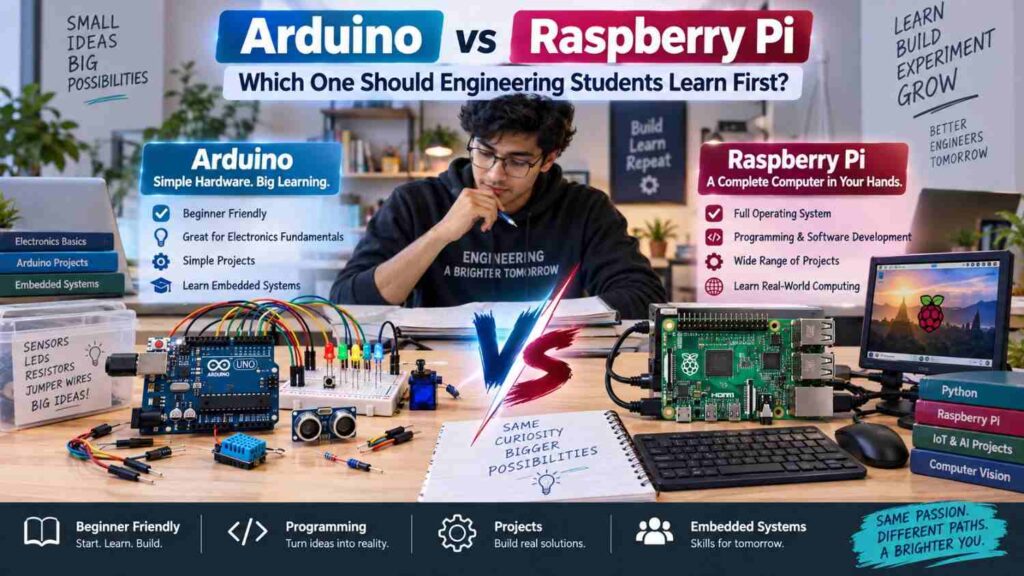
Both boards are widely available from local electronics vendors and online sellers, both have huge global communities, and both show up constantly in student projects. But they are built for different jobs, and picking the wrong one first can slow down your learning.
This article compares the two directly and gives a clear recommendation for students starting out.
What Arduino Is Built For
Arduino is a microcontroller-based development platform, built around chips like the ATmega328, discussed in more detail in our microcontroller versus microprocessor article. It is designed for direct, real-time interaction with hardware: reading a sensor, switching a relay, driving a motor, or generating precise timing signals.
Arduino boots instantly, has no operating system to slow it down, and runs one program in a continuous loop. This makes it extremely reliable for control tasks where consistent timing matters, such as reading a temperature sensor every second or generating a pulse width modulation signal, a concept explored fully in our dedicated PWM article.
What Raspberry Pi Is Built For
Raspberry Pi is a full single-board computer built around a microprocessor. It runs a complete operating system, usually a version of Linux, and can multitask, browse the internet, run a camera feed through image processing software, host a web server, or run Python scripts with access to large libraries.
It has far more processing power and memory than an Arduino, but it boots slower, draws more current, and is not built for hard real-time control in the same way a microcontroller is.
Side-by-Side Comparison
| Feature | Arduino | Raspberry Pi |
|---|---|---|
| Chip type | Microcontroller | Microprocessor (system-on-chip) |
| Operating system | None, runs one program directly | Full OS, typically Linux |
| Real-time control | Excellent, precise timing | Weaker, OS introduces delays |
| Processing power | Low | High |
| Ease of first use | Very beginner friendly | Requires more setup knowledge |
| Typical price locally | Lower | Higher |
| Best for | Sensors, motors, control circuits | Data processing, vision, networking |
Which One Should a Nigerian Student Start With
For most engineering, electrical, and mechatronics students in Nigeria, Arduino is the better starting point. It is cheaper to acquire, easier to replace if damaged, more forgiving of wiring mistakes, and its programming model teaches the fundamentals of embedded control without the added complexity of an operating system.
Many SIWES industrial training projects and final year automation builds start life as an Arduino prototype before, if needed, migrating to a more capable platform. Once you are comfortable reading datasheets, writing simple C-like code, and wiring basic circuits, moving to Raspberry Pi for a more advanced project becomes a natural next step rather than an overwhelming one.
When Raspberry Pi Is the Better Choice
Some projects genuinely need what only a microprocessor-based board can deliver. If your final year project involves image recognition, a web dashboard, database logging, or connecting to cloud services over Wi-Fi with heavier processing, Raspberry Pi is worth the extra cost and setup effort.
It is also a good platform for learning Linux system administration and Python programming at a deeper level than most microcontroller work requires. Some advanced student projects even combine both boards, using an Arduino to handle real-time sensor readings and motor control while a Raspberry Pi handles data logging and a user interface on top.
Getting Started Without Breaking the Bank
Access to genuine kits used to be a real barrier for Nigerian students, but the local hobbyist and maker community has grown considerably, with vendors in Lagos, Abuja, and other cities stocking starter kits, and online platforms making both boards easier to source than a few years ago. A practical starting sequence for a beginner looks like this.
- Buy or borrow a basic Arduino Uno or compatible clone board along with a breadboard, jumper wires, and a small set of common sensors and LEDs.
- Work through beginner tutorials covering digital input and output, analog reading, and simple serial communication.
- Build two or three small projects, such as a temperature-controlled fan or a light-activated switch, to reinforce the fundamentals.
- Once confident, move on to a Raspberry Pi for a project that needs networking, a camera, or more processing power.
- Document every project carefully, since a solid portfolio of small builds is valuable when applying for internships or SIWES placements.
Skills That Transfer Beyond Either Board
Regardless of which board you start with, the underlying skills transfer directly to industry work: reading datasheets, understanding voltage and current limits, writing structured code, and debugging hardware faults methodically.
These same fundamentals underpin later study in PLC programming and MATLAB and Simulink modeling, both covered in their own dedicated articles on this site, as well as broader career paths in control systems engineering.
Common Misconceptions
- “Raspberry Pi is simply a more advanced version of Arduino.” They are different categories of device built for different jobs, not a beginner and advanced version of the same thing.
- “Arduino cannot handle serious projects.” Many industrial and commercial products use microcontroller cores similar to Arduino’s for reliable, dedicated control tasks, so its simplicity is a strength, not a limitation.
- “You need a Raspberry Pi to learn programming for embedded systems.” Arduino programming teaches core embedded concepts, including memory limits and hardware timing, that are just as valuable and often more foundational than starting on a full computer.
Frequently Asked Questions
Can Arduino and Raspberry Pi be used together in one project?
Yes, this is common in more advanced builds, with the Arduino handling real-time sensor and motor control while the Raspberry Pi manages data processing, storage, or a user interface.
Is Arduino or Raspberry Pi better for a final year project?
It depends on the project’s needs; control-focused projects with sensors and actuators usually suit Arduino, while projects needing image processing, networking, or a graphical dashboard suit Raspberry Pi.
Do I need to know Linux to use a Raspberry Pi?
Basic familiarity helps a great deal, since the Pi runs a Linux-based operating system, but beginner-friendly guides exist that walk through the essentials without requiring prior Linux experience.
Final Thoughts
Arduino and Raspberry Pi are both excellent learning tools, but they answer different questions. Arduino teaches direct hardware control with a gentle learning curve and low cost, making it the natural first step for most Nigerian engineering students. Raspberry Pi opens the door to more computationally demanding projects once the fundamentals are solid.
Rather than treating the choice as a rivalry, think of it as a progression: start with Arduino to build confidence with circuits and code, then bring in Raspberry Pi when a project genuinely needs its extra processing power.